


Everything you need to know about Skool, choosing the right plan,
and getting your community off to a great start.
Grab a seat. Class is officially in session.
So, you’ve heard about Skool.
Maybe you’ve seen people talking about their online communities. Maybe you’ve watched
someone turn their knowledge into a membership business.
Or maybe you’re just wondering what the heck everybody is so excited about.
Good questions.
And you’ve come to the right classroom.
Today, we’re going to explain what Skool is, how it works, what it costs, and whether it’s something you should consider.
We’ll even show you how to get a little extra help if you decide to start your own community.
No complicated tech talk. No ridiculous income promises. And absolutely no pop quiz at the end.
Let’s get started.
First Things First: What the Heck Is Skool?
Imagine having your own little corner of the internet.
A place where people who share a common interest can get together, learn something new, ask questions,
share ideas, and help each other.
Now imagine being able to put your lessons, videos, discussions, and live events in that same place.
That’s essentially what Skool does.
Instead of sending people to five different websites, you can bring everything together under one roof.
Think of it as a combination of an online classroom and a community clubhouse.
And here’s the interesting part.
You don’t have to be a teacher to start one.
You could build a community around gardening, photography, fitness, woodworking, cooking, business,
or practically anything people want to learn or discuss.
You could even build one around collecting vintage lunchboxes.
Hey, we’re not here to judge your hobbies.
The point is that if people share an interest, there’s a possibility for a community.
What Can You Actually Do With Skool?
Quite a bit, actually.
💬 Build a Community
Members can introduce themselves, ask questions, share progress, and have conversations.
Unlike a typical social media feed, your community has a dedicated home.
📚 Create a Classroom
Have something to teach?
You can organize lessons, videos, and other learning materials into courses your members can access.
📅 Host Events
Schedule community calls, workshops, question-and-answer sessions, and other events.
🏆 Make Participation Fun
Skool includes points, levels, and leaderboards.
Members can earn points when other members like their contributions, giving them an incentive to participate.
And you can use levels to recognize active members or unlock rewards.
💰 Charge for Membership
You can build a free community, a paid community, or offer different ways for people to access your content.
But remember something important:
Skool gives you the tools to run a community. It doesn’t guarantee that people will join or pay you.
And that brings us to the next lesson.

Can You Actually Make Money With Skool?
Yes, it’s possible.
But not simply because you signed up.
Let’s say you’re really good at helping people grow vegetables.
You could create a gardening community where members pay a monthly fee to learn from you,
get advice, and connect with other gardeners.
Or perhaps you’re a guitar player who enjoys teaching beginners.
You could create lessons, host live practice sessions, and help members improve.
The possibilities aren’t limited to business topics.
But here’s the catch.
People need a good reason to join your community, and an even better reason to stay.
That means offering something useful.
It could be your knowledge, your guidance, your lessons, or the opportunity to connect
with people who share their interests.
A community isn’t valuable just because it exists.
It’s valuable because of what happens inside it.
And that leads us to a question nearly everyone asks.
How Much Does Skool Cost?
Good news.
You don’t need to spend hundreds of dollars just to see whether you like the platform.
Skool currently offers two main plans for community owners.
🎒 The $9 Hobby Plan
Maybe you’ve got an idea you’d like to try.
Maybe you’re curious about building a community but aren’t ready to make a big financial commitment.
Or maybe you just want to learn how Skool works.
That’s where the Hobby plan comes in.
For $9 per month, you can get started with Skool’s core community and classroom tools.
You can have members, create courses, upload videos, and host community activities.
There’s plenty you can do with it.
The main financial tradeoff is that Skool charges a higher transaction fee when you collect payments from members.
For someone who’s just experimenting or getting started, that may be perfectly reasonable.
Our take: If you’re testing an idea and want to keep your monthly expenses low, Hobby deserves a serious look.
There’s no shame in starting small.
Even rock stars had to learn their first three chords.
🚀 The $99 Pro Plan
Now let’s imagine something different.
You’ve got a clear idea for your community.
You plan to charge for membership, build courses, grow an audience, or turn your expertise into a business.
And you’re ready to put some real effort into making it happen.
That’s when the $99 Pro plan becomes worth considering.
Pro has a higher monthly cost, but lower standard transaction fees.
That difference can become meaningful as your paid community grows.
It may also be a better fit for community owners who want to build a more established operation.
Our take: Pro is worth considering when your revenue, plans, and community needs justify
the additional monthly expense.
But don’t choose Pro just because it sounds more impressive.
Choose it because it makes sense for what you’re building.
Hobby vs. Pro: The Quick Comparison
| Hobby | Pro | |
|---|---|---|
| Monthly price | $9 | $99 |
| Members | Unlimited | Unlimited |
| Courses | Unlimited | Unlimited |
| Videos and live calls | Included | Included |
| Standard transaction fees | 10% + 30¢ | 2.9% + 30¢ on transactions up to $899; 3.9% + 30¢ above $900 |
| Best starting point | Testing ideas and keeping costs low | Growing paid communities and benefiting from lower fees |
Both plans have a free trial, and both can support a real community.
The important question isn’t which plan sounds better. It’s which plan fits your situation.
You can review Skool’s current pricing and features before making your decision.
Now for Something They Don’t Teach You During Sign-Up
Let’s imagine you’ve just created your new Skool community.
You’ve picked a name.
You’ve uploaded a picture.
You’ve written a welcome message.
You’ve even organized your first lesson.
You lean back in your chair, admire your work, and wait for people to show up.
And wait.
And wait some more.
Suddenly, you realize something.
You’ve built a beautiful classroom. But where are the students?
And that, my friend, is where the real work begins.
Because Skool can give you the tools to build a community.
But you still need to figure out how to attract the right people, make them feel welcome,
and give them reasons to participate.
That’s not a criticism of Skool.
It’s simply the reality of building any community.
And it’s exactly why we created Skool House Rocks.
Skool Gives You the Classroom. We Help You Fill It.
We believe starting a community should be exciting.
Not an endless guessing game.
And if you’re investing $99 a month in the Pro plan, you’ll probably appreciate having a little extra help.
So we’re putting together something specifically for people who choose to start their Pro community through Skool House Rocks.
It’s called:
🎁 The Ultimate Skool Starter Stack
Three bonuses. Three real problems. Zero fluff.
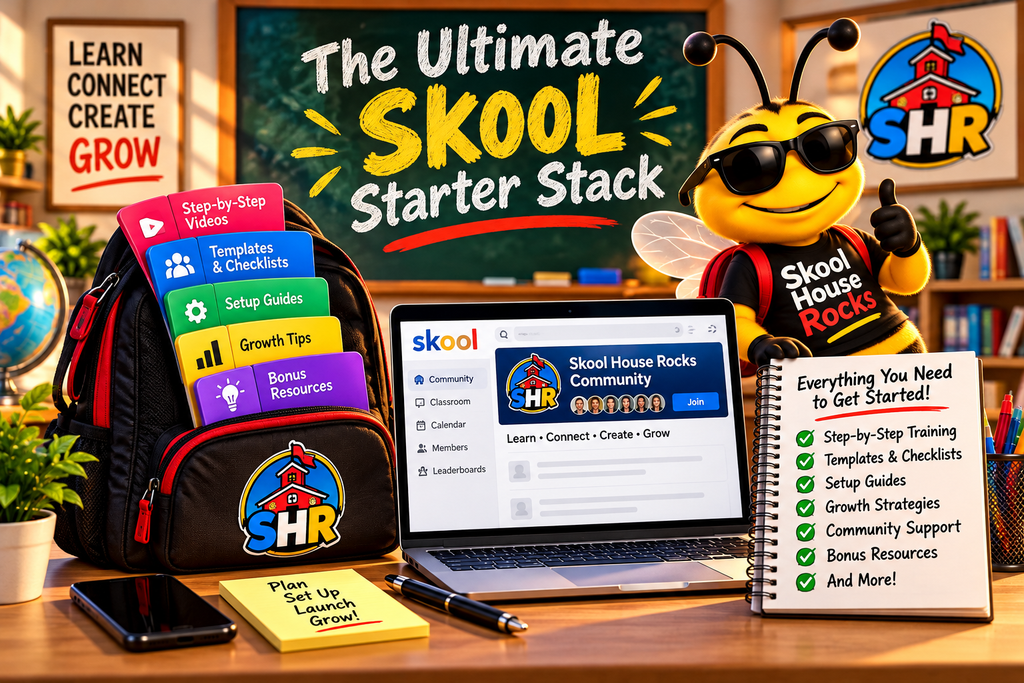
We’re not going to throw 47 random downloads at you and pretend they’re worth $2,000.
We’d rather give you three things you’ll actually open, understand, and use.
Because the goal isn’t to fill up your hard drive.
It’s to help you fill up your community.
Here’s what’s included.
🎁 Bonus #1: The Zero to 100 Members Roadmap
Because nobody wants to be the only person in their own community.
You’ve built your community.
Now how do you get people to join?
That’s the question this roadmap is designed to help answer.
Rather than telling you to spend hundreds of dollars on advertising, we’ll focus on practical ways to introduce
your community to people who may genuinely be interested.
Your roadmap will include:
- A simple launch checklist: What to prepare before inviting your first members.
- A 30-day action plan: Manageable steps to help you build awareness and attract your first members.
- Social media post templates: Ready-to-customize examples that introduce your community without sounding like a walking advertisement.
- Friendly invitation scripts: Ways to start genuine conversations with people who might benefit from joining.
- A member tracking worksheet: Keep track of what’s working and what needs improvement.
Will this guarantee you 100 members?
Of course not.
Anyone promising that is probably also selling oceanfront property in Nebraska.
But it will give you a plan instead of leaving you staring at an empty community wondering what to do next.
🎁 Bonus #2: The Level 1–9 Gamification Blueprint
Getting members through the door is one thing. Giving them reasons to participate is another.
Here’s something interesting about Skool.
Members can earn points, move up levels, and appear on a leaderboard.
That’s a nice feature.
But points alone don’t create a great community.
People participate when they feel welcome, enjoy the conversations, and get something worthwhile from being involved.
Our Gamification Blueprint will help you put those ideas together.
Inside, you’ll find:
- A Level 1–9 planning worksheet: Map out milestones and possible rewards.
- Reward ideas that make sense: Examples of useful things you can offer without giving away the farm.
- Welcome post templates: Help new members introduce themselves and feel comfortable participating.
- Weekly engagement prompts: Conversation starters you can adapt to your community.
- A simple participation calendar: So you’re not waking up every morning wondering what to post.
The idea isn’t to trick people into spending every waking minute inside your group.
It’s to make your community a place they actually enjoy visiting.
Because a busy community isn’t necessarily a good community.
A helpful, welcoming community is.
🎁 Bonus #3: The Canva Skool Graphic Toolkit
Because first impressions matter, even on the internet.
You don’t need a professional design agency to make your community look good.
And you certainly don’t need to spend your weekend fighting with graphics software.
Our Canva toolkit is designed to make things easier.
You’ll get editable designs you can customize for your own community.
The toolkit will include:
- Community banner templates: Give your community a clean, recognizable look.
- Classroom cover templates: Make your courses easier to identify.
- Welcome graphics: Help new members feel like they’ve arrived somewhere special.
- Level and reward graphics: Add personality to your community’s milestones.
- Simple customization instructions: Change the words, colors, and images to fit your brand.
No design degree required.
No expensive designer needed.
And no need to make everything look like it was created in Microsoft Paint in 1997.
Unless that’s your thing.
In which case, we respect the commitment.
Why Are We Giving These Bonuses Away?
Fair question.
And you deserve a straightforward answer.
Skool House Rocks is an independent affiliate of Skool.
If you start a Skool community through our referral link, we may earn a commission from Skool.
That doesn’t increase the price you pay.
Instead of simply sending people to Skool and collecting a commission, we want to provide something useful in return.
That’s why we’re creating the Ultimate Skool Starter Stack.
The bonuses are intended as a welcome gift for qualifying new Pro customers who sign up through our link.
You get additional tools to help you get started.
We may earn a commission.
And hopefully, you’ll remember Skool House Rocks as a place that actually helped you.
Pretty simple.
Who Should Take Advantage of This Offer?
Let’s make something clear.
Not everyone needs the $99 Pro plan.
If you’re just exploring an idea, the $9 Hobby plan may be the smarter place to start.
And we’re perfectly fine with that.
But if you’ve decided Pro is the right choice for your goals, we’d love to help you make the most of it.
That’s who we’re creating this bonus package for.
Someone who’s ready to build a community and would appreciate a little guidance along the way.
No magic tricks.
No overnight riches.
Just useful tools to help you get moving.
Ready to Open Your Classroom?
If you’ve made it this far, congratulations.
You’ve officially survived orientation.
And nobody even made you climb a rope in gym class.
Here’s what to do next.
Step 1: Use our Skool House Rocks referral link to visit Skool.
Step 2: Review the current plans and choose the one that makes sense for you.
Step 3: If you choose the qualifying Pro offer, follow our bonus claim instructions to receive your
Ultimate Skool Starter Stack once it’s available.
[EXPLORE SKOOL & START YOUR CLASSROOM →]
Button destination: Skool House Rocks affiliate link — to be inserted.
Remember, Skool is a tool.
What you build with it is up to you.
And whether your goal is to bring together ten people who love woodworking or create a thriving membership community,
it all starts with one simple decision.
Get started. Learn as you go. And build something worth belonging to.
Class dismissed.
For now. 🎸
The Skool House Rocks Team
P.S. Still not sure which plan is right for you? Start by asking yourself what you want your community to accomplish over the next six months.
The answer may make your decision a whole lot easier.
Frequently Asked Questions
Do I need an existing audience to start a Skool community?
No. You can start without an audience. But you’ll need a realistic plan to attract members, and growth may take time.
Can I start with Hobby and upgrade to Pro later?
Skool provides plan-change options, so you don’t necessarily need to start with Pro. Review its current billing terms before switching.
Will the bonuses guarantee that I get 100 members?
No. The bonuses are designed to provide practical guidance, templates, and a starting plan. Your results will depend on your audience, offer, effort, and other factors.
Do I pay extra for the bonuses?
The planned Starter Stack is intended to be free for qualifying Pro customers who sign up through our referral link. Eligibility, availability, and claim instructions will be confirmed before launch.